Your shows, perfectly tracked
Mark what you've watched, see every series at a glance, and pick up right where you left off. A private, free, local-first episode tracker and TV companion that lives in your browser
Everything you need to keep up
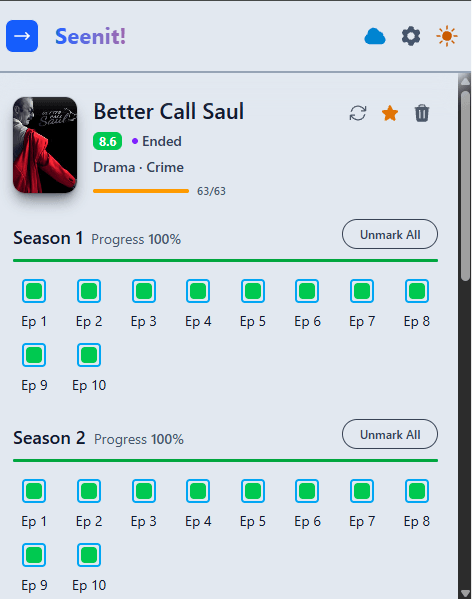
Track every episode
One click marks an episode watched. Per-season progress bars remember exactly where you left off across every show.
Rich series overview
See the poster, rating, genres and a live air-status badge that keeps pinging while a show is still running.
Find & organize
Search to add any show, then filter, sort, favorite and drag to reorder your list exactly how you like it.
Cloud sync, optional
Connect Google Drive on Chrome to back up and sync progress across devices. Conflict-free merging keeps everything in step.
Private & local-first
Your data lives in your browser by default. No account, no ads, no tracking - and you can export or import it anytime.
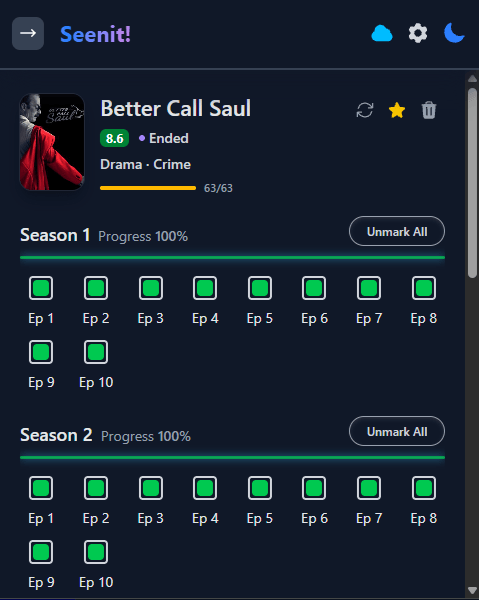
Dark & light themes
A clean, fast interface that looks great day or night, kept up to date on both Chrome and Firefox.
Up and running in seconds
Install & pin
Add Seenit! to Chrome or Firefox and pin the icon to your toolbar.
Add your shows
Search by title and add the series you are watching. Metadata is powered by TheTVDB.
Mark as you watch
Tap episodes as you finish them. Progress saves automatically - and syncs, if you want it to.
Google Drive sync, on your terms
Connect your Google account on Chrome to back up your library and keep every device in step. It is completely optional - Seenit! works fully offline without it.
- Backup in your own Drive Your watch history is stored in your personal Google Drive - not on our servers. You stay in control.
- Sync across devices Mark an episode on your laptop and see it on your desktop. Progress follows you everywhere you sign in.
- Conflict-free merging Watched on two machines while offline? Changes merge cleanly so nothing gets lost or overwritten.
- Opt-in and reversible Sync is off until you connect it, and you can disconnect at any time. Local-first stays the default.
Frequently asked questions
What is Seenit!?
Seenit! is a free browser extension and TV companion that tracks which episodes of a series you have watched, so you always know what to watch next.
Is Seenit! free?
Yes. Seenit! is completely free, with no account required, no ads and no tracking.
Which browsers does Seenit! support?
Seenit! is available as an extension for Google Chrome and as an add-on for Mozilla Firefox.
What does the Chrome Web Store Featured badge mean?
The Featured badge is awarded by Google to extensions that follow technical best practices, respect user privacy, and deliver a great user experience. Seenit! earned it - so you can install with confidence.
Does Seenit! sync across devices?
Optionally. On Chrome you can connect your own Google Drive to back up and sync your watch history across devices. Sync is off by default and Seenit! works fully offline.